
In this blogpost, we will learn how to extract a zipped file which is also password protected in Azure Function with the help of Aspose.Zip library.
Introduction
Recently I came across a requirement from user wherein, they wanted to save a zip file that was coming via an email to a SharePoint location and then extract the contents of the zip file and save them on SharePoint library.
The catch here was, the zip file was password protected so the Extract Folder action from Power Automate didn’t work.

so we thought of achieving this using third party library in Azure Function. Upon looking through multiple solutions, I came across this library called Aspose.Zip.
Note : Here I assume that you have basic knowledge of how to create azure functions and how to use them.
First of all install this library to your azure function.
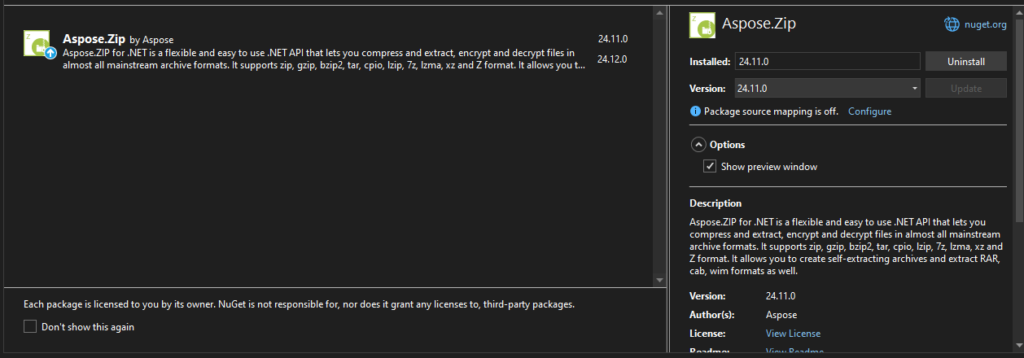
Write below logic which gets the zip file from SharePoint library, extracts it and copies the extracted files on the SharePoint location.
//Logic to read the zip file wherein fileRelativeURL is in format like this passed during function call "fileRelativeURL": "/Shared Documents/ZippedFiles/Schedule Report/23071008.zip"
//clientContext is instance of Microsoft.SharePoint.Client.ClientContext
string clientSecret = Environment.GetEnvironmentVariable("CLIENT_SECRET", EnvironmentVariableTarget.Process);
string clientId = Environment.GetEnvironmentVariable("CLIENT_ID", EnvironmentVariableTarget.Process);
string siteURL = Environment.GetEnvironmentVariable("SITE_URL", EnvironmentVariableTarget.Process);
ClientResult<Stream> stream = null;
MemoryStream ms = null;
var serverRelativeURL = siteURL.Substring(siteURL.IndexOf("/sites/"), siteURL.Length - siteURL.IndexOf("/sites/"));
File file = clientContext.Web.GetFileByServerRelativeUrl(serverRelativeURL + fileRelativeURL);
try
{
clientContext.Load(file);
clientContext.ExecuteQuery();
stream = file.OpenBinaryStream();
clientContext.ExecuteQuery();
stream.Value.Position = 0;
ms = new MemoryStream();
await stream.Value.CopyToAsync(ms);
ms.Position = 0;
// Decrypt and extract to folder, during decryption, the password is taken from local.settings.json/environment variable and passed to Archive function.
string DecryptionPassword = Environment.GetEnvironmentVariable("DECRYPTION_PASSWORD", EnvironmentVariableTarget.Process);
<strong> Archive archive = new Archive(ms, new ArchiveLoadOptions() { DecryptionPassword = DecryptionPassword });</strong>
for (int i = 0; i < archive.Entries.Count; i++)
{
using (var ms1 = new MemoryStream())
{
<strong>archive.Entries[i].Extract(ms1);</strong>
FileCreationInformation createFile = new FileCreationInformation();
createFile.Url = $"{outFileLocation}/In Out Remittance Report - {DateTime.Now.ToString("yyyyMMdd_hhmmssfff")}.pdf";//Here I have kept the extracted file name as per my requirement.
<strong>createFile.ContentStream = ms1;</strong>
createFile.ContentStream.Seek(0, SeekOrigin.Begin);
List spList = clientContext.Web.Lists.GetByTitle("Documents");
createFile.Overwrite = true;
Microsoft.SharePoint.Client.File addedFile = spList.RootFolder.Files.Add(createFile);
clientContext.Load(addedFile);
clientContext.ExecuteQuery();
}
}
}
catch (Exception ex)
{
throw ex;
}
finally
{
if (stream?.Value != null)
{
stream.Value.Close();
stream.Value.Dispose();
}
if (ms != null)
{
ms.Close();
ms.Dispose();
}
}Summary :
In above code we saw how to read the zip file from SharePoint location, extract the password protected zip file and copy the extracted file back to a library on SharePoint.
Here is body of my azure function call which shows the parameters being passed
{
“fileRelativeURL”: “/Shared Documents/ZippedFiles/Schedule Report/23071008.zip”,
“siteURL”: “https://xxxxx.sharepoint.com/sites/yyyy”,
“outFileLocation”: “https://xxxxx.sharepoint.com/sites/yyyy/Shared Documents/ExtractedFiles”
}
